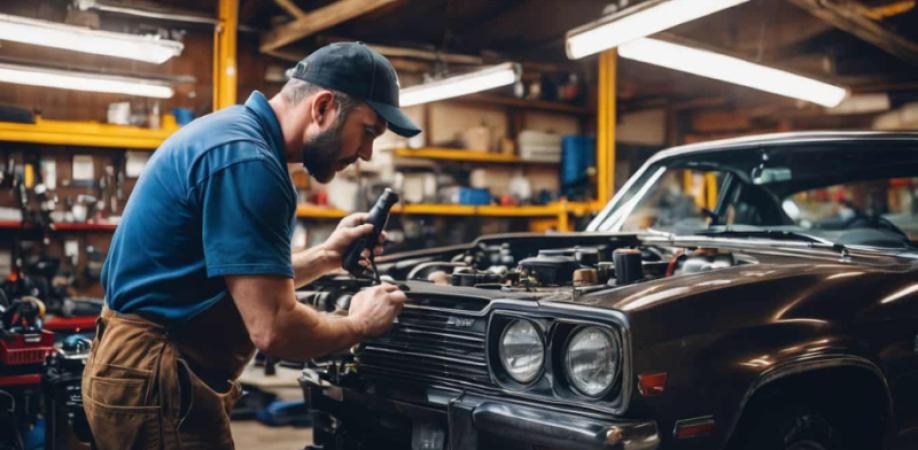
Discover how local auto repair shops can get more customers online with local SEO, Google Maps, reviews, service pages, and helpful automotive content.
When a vehicle begins to make a sound, when the check engine light turns on or when a driver needs maintenance, many people turn to Google before picking an auto repair shop. They may search for a mechanic near them, compare reviews, check prices or look for a shop that can handle a repair.
For auto repair shops, being visible at these times can bring a stream of new customers. However, simply having a website is not enough. The auto repair shop’s online presence must make it easy for drivers to find the shop, understand the services offered, trust the business and schedule an appointment.
Start With the Services Customers Search For
Drivers usually search for a solution to a vehicle problem of just looking for an auto repair company.
Common searches include:
- Brake repair near me
- Oil change near me
- Car battery replacement
- Check engine light diagnosis
- Tire repair
- Transmission repair
- AC repair
- Wheel alignment
- Auto electrical repair
- Car maintenance services
Think about the services the auto repair shop provides and build website pages around them.
A dedicated brake repair page for example, can explain brake problems, warning signs, and available services. Show how the auto repair shop can schedule an inspection.
This gives search engines information about the auto repair shop while helping potential customers find the service they need.
Make Your Business Easy to Find on Google Maps
For auto repair shops, location is very important. A driver with a vehicle problem usually does not want to travel across a city for repairs.
The auto repair shop’s Google Business Profile should clearly communicate:
- Shop name
- Address
- Phone number
- Business hours
- Website
- Primary business category
- Services offered
- Service area
- Photos
Keep this information accurate and update holiday hours when necessary.
A customer should be able to discover the auto repair shop, see where the shop is located and contact the shop without having to search through websites.
Build Trust Before Asking for the Booking
Car repairs involve money and safety so customers often want reassurance before choosing a mechanic.
The auto repair shop’s website should answer questions such as:
- How experienced's the auto repair shop?
- What types of vehicles does the auto repair shop service?
- Which repairs does the auto repair shop specialize in?
- Does the auto repair shop provide inspections?
- Does the auto repair shop offer estimates?
- What areas does the auto repair shop serve?
- How can customers contact the auto repair shop?
Include information about the auto repair shop, technicians, certifications where applicable, facilities, equipment, and experience.
Real photographs of the auto repair shop’s workshop can also be more convincing than stock images.
Use Reviews as Social Proof
Reviews can have an influence on a driver’s decision when several auto repair shops appear in search results.
Encourage customers to leave reviews after completing a repair or maintenance service.
Reviews can naturally mention details such as:
- The type of repair
- Customer service
- Communication
- Turnaround time
- experience
Respond to reviews professionally. Thank customers for feedback. Address legitimate concerns respectfully.
Do not. Purchase reviews. Authentic customer experiences are more useful for building long‑term credibility.
Create Auto Repair Pages
If the auto repair shop serves nearby communities, location‑focused pages can help potential customers discover the auto repair shop.
For example, an auto repair shop serving an area could create useful pages for the surrounding communities the auto repair shop serves.
A good location page might include:
- Services
- Directions to the shop
- Local service area information
- Contact details
- Customer reviews
- Common repairs
- Information about the surrounding area
Avoid creating dozens of identical pages with only the city name changed. Each location page should provide information about the auto repair shop.
Answer the Questions Drivers Ask
People often search for answers before deciding whether their vehicle needs attention.
This creates an opportunity for the auto repair shop to publish content.
Potential topics include:
- Why is my check engine light on?
- How often should I change my oil?
- Why are my brakes squeaking?
- How do I know if my battery is failing?
- What causes a car to overheat?
- When should I replace my brake pads?
- Why is my car pulling to one side?
- What causes fuel economy?
Helpful articles can attract people researching a vehicle problem and introduce them to the auto repair shop before they are ready to book a repair.
Make Appointment Scheduling Simple
Once someone decides to contact the auto repair shop the next step should be straightforward.
The auto repair shop’s website can include a Schedule Service or Request an Appointment button.
Depending on your business model, customers may be able to: Call the shop, submit an appointment form, request an estimate, ask a question or schedule a vehicle inspection.
Do not make customers search for contact information. Keep phone number visible. Make it clickable on devices.
Target emergency and high‑intent searches
Some automotive searches indicate a need.
Examples include:
- Emergency auto repair near me
- Car won't start
- Tire repair near me
- Brake repair near me
- Car overheating
- Battery replacement near me
If your shop provides these services, create pages explaining what you offer and how customers can contact the shop.
Avoid claiming 24/7 emergency service unless the shop actually provides it. Accurate information is essential for maintaining customer trust.
Show the people and equipment behind the shop
An auto repair shop can feel more trustworthy when customers can see the people and facility behind the shop.
- Consider adding photos of:
- Technicians
- Service bays
- Diagnostic equipment
- Repair work
- Customer waiting areas
- Shop exterior
- Completed projects
You can also introduce technicians and explain their experience.
This gives visitors an understanding of who will be working on their vehicles.
Optimize for drivers
A portion of local automotive searches happen on smartphones.
Someone standing beside a vehicle with a problem may not want to read a website. Customers need answers.
Your mobile website should make it easy to: call the shop, get directions, request an appointment, view opening hours, and find service.
Make sure buttons are easy to tap, and important information appears without scrolling.
Use before‑and‑after repair content
Auto repair businesses have an advantage when it comes to demonstrating expertise
Use photos and videos of repair work to show examples of what technicians handle.
For example, you could publish content showing:
- Brake replacement
- Engine repairs
- Tire replacement
- Suspension work
- Battery replacement
- AC repairs
- Diagnostic work
Explain the problem and solution without exaggerating results.
This type of content can help demonstrate expertise while giving customers an understanding of shop services.
Keep business information
Check shop details across the website, Google Business Profile, social media accounts, and relevant online directories.
Shop: Business name, address, phone number, website, and opening hours should be accurate and consistent.
Incorrect information can cause customers to call number visit the location or arrive when the shop is closed.
Give customers information about pricing
Price is often a consideration when choosing an auto repair shop.
You do not necessarily need to publish prices for every repair, especially when costs depend on the vehicle and diagnosis. However, you can explain how estimates work and what customers should expect.
For example, explain whether inspections are available, how estimates are provided, whether customers are contacted before work, what factors affect repair costs, and which maintenance services have pricing.
Clear expectations can reduce uncertainty. Make customers comfortable contacting the shop.
Track which online efforts generate customers
Do not judge shops' marketing by website traffic.
Monitor actions directly connected to customers, including: phone calls, appointment requests, contact form submissions, Google Business Profile interactions, direction requests, service‑page traffic, local search visibility, and estimate requests.
You can also ask customers how they found the shop. This can reveal which marketing channels are actually contributing to business.
Turn searches into repair jobs
For local auto repair shops, online marketing works best when it focuses on customers' actual problem.
Drivers are looking for answers, trustworthy mechanics, convenient locations, clear service information, and an easy way to schedule help.
Build your shop's presence around those needs. Create pages for repair services, maintain Google Business Profile, collect genuine reviews, publish useful automotive advice, showcase technicians and facility, and make it easy for mobile users to call or schedule an appointment.
When a shop appears at the moment and gives customers the information they need to take action, local search can become a source of new repair jobs and long‑term customers.